
ABC ID – Login, Create, Download & Update
Have you ever wondered if it’s possible to store academic credits online? With an ABC ID, it is not just possible but also safer and more secure. It is a 12-digit identification number issued by the Indian government to all students across the country. It was launched under the National Education Policy (2020) and initiated by the University Grants Commission (UGC).
It helps students store, manage, transfer, and access their academic credentials and co-curricular achievements digitally in one place without the potential loss of any academic data.
In this post, we will discuss everything you need to know about this ID, from login and creation to its benefits, key features, uses, and stats.
How to Create ABC ID
You can generate your ABC ID through three official platforms: DigiLocker, the ABC portal (abc.gov.in), and the UMANG app. Below is a step-by-step guide for each method.
Using DigiLocker
- (Visit the official DigiLocker portal):
Go to the DigiLocker portal by clicking on “https://www.digilocker.gov.in/” or type the URL in your browser.

- (Sign in/Sign up)
Sign in to your account by using your username, mobile number or Aadhaar number and a 6-digit pin, then verify the OTP and proceed further.
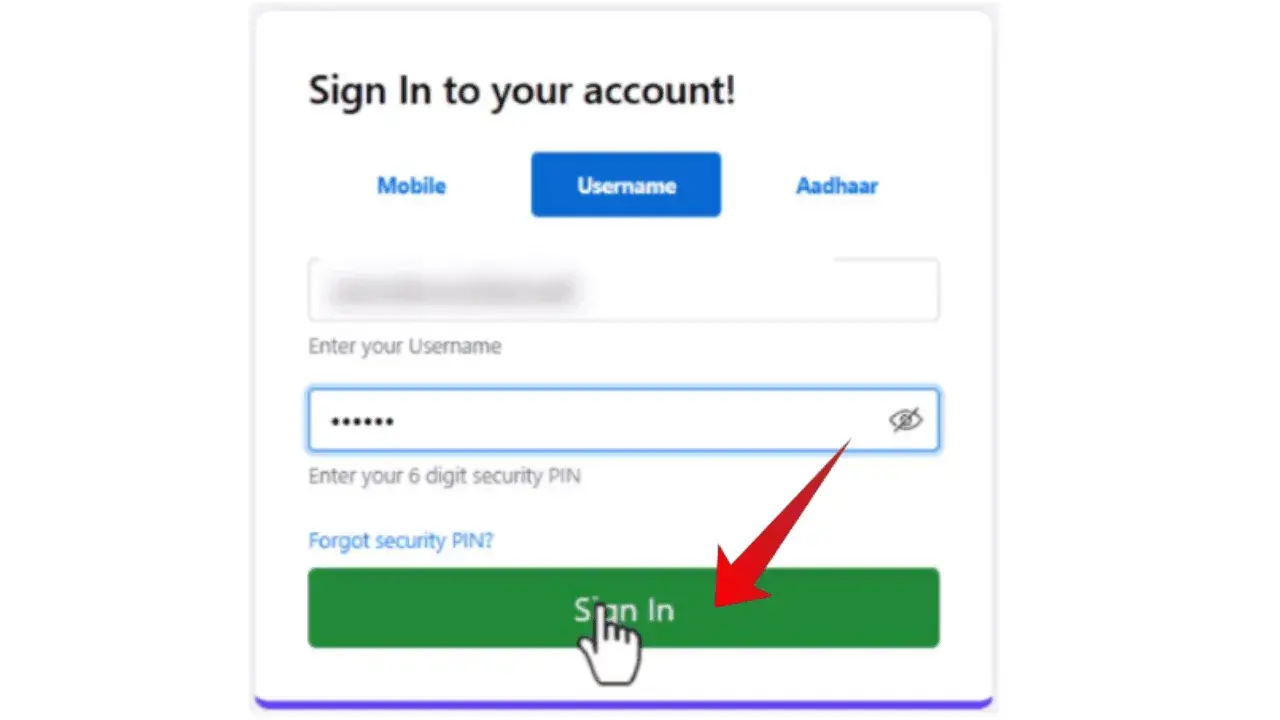
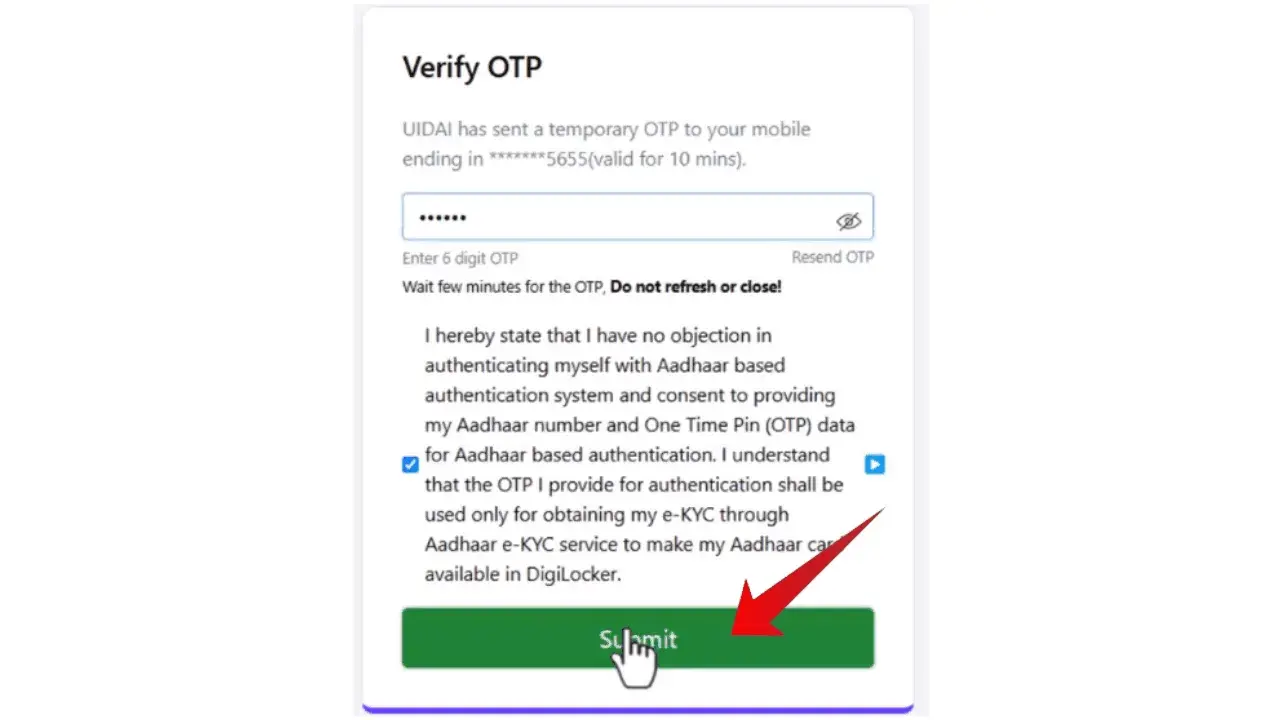
- (ID Creation)
In the DigiLocker portal look for the “Search document” option and search “ABC“. Click on the Academic Bank of Credits, then click on “Apaar ID“.
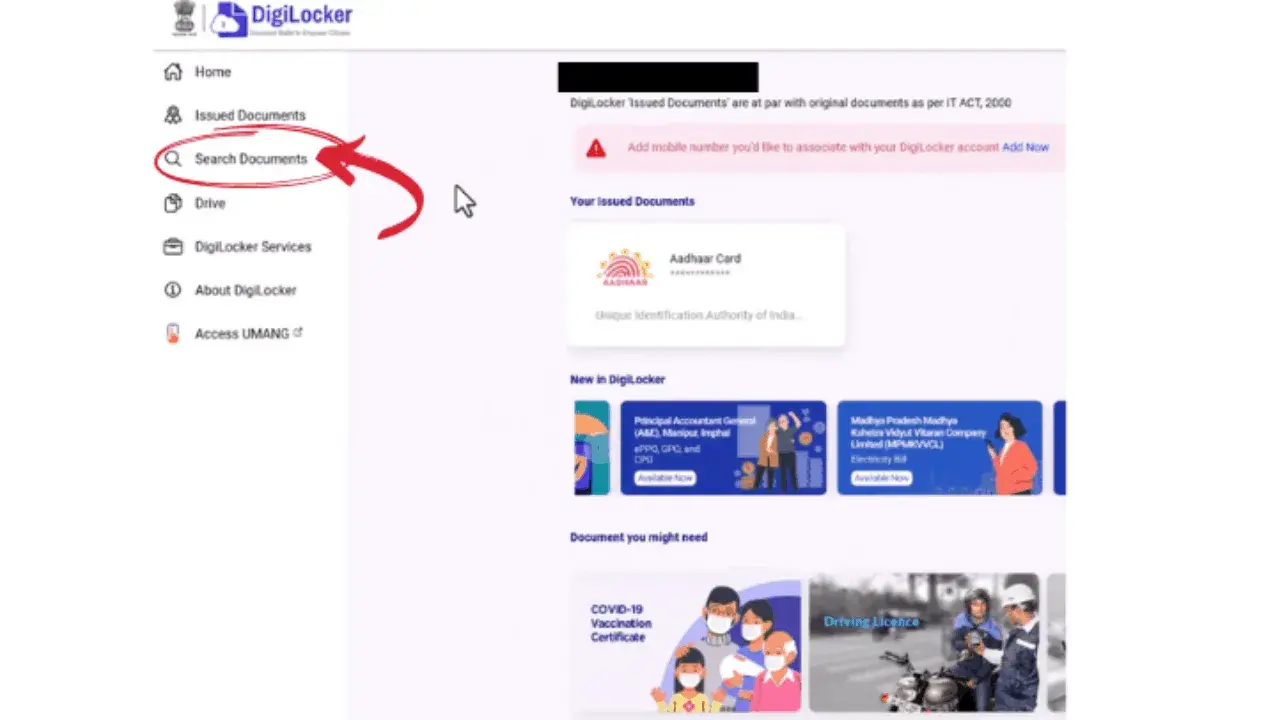
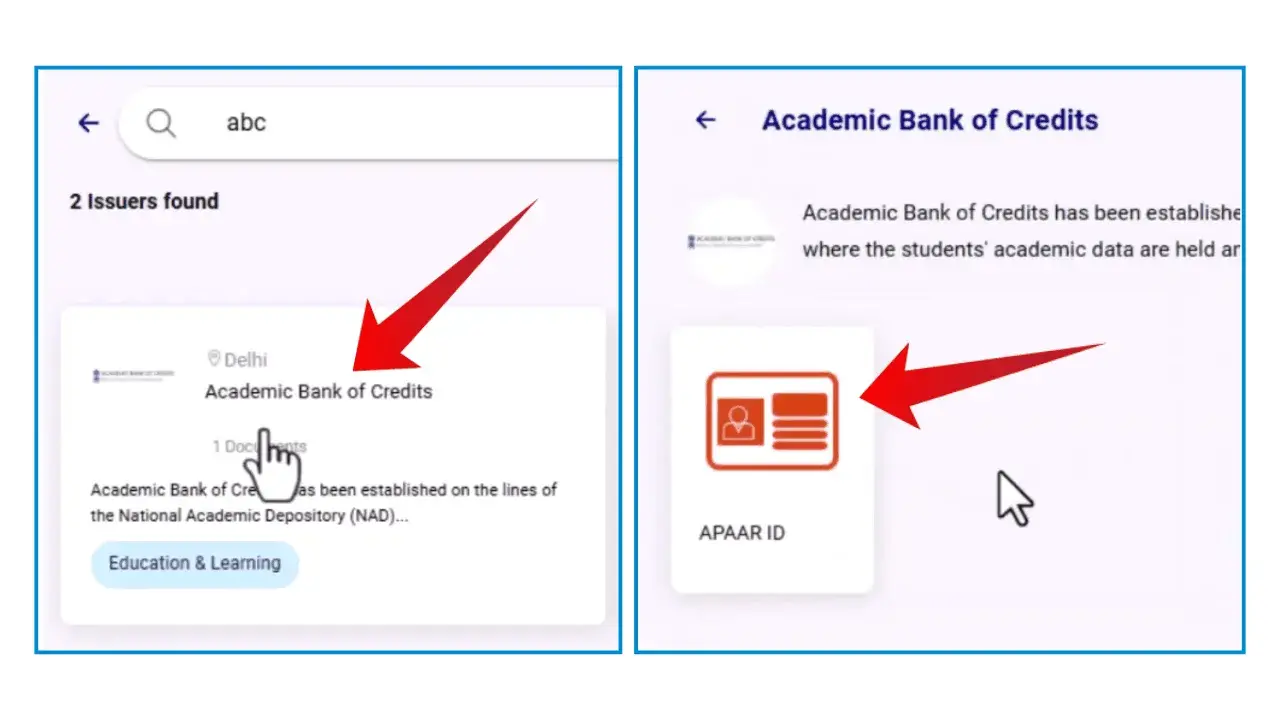
- (Filling the form)
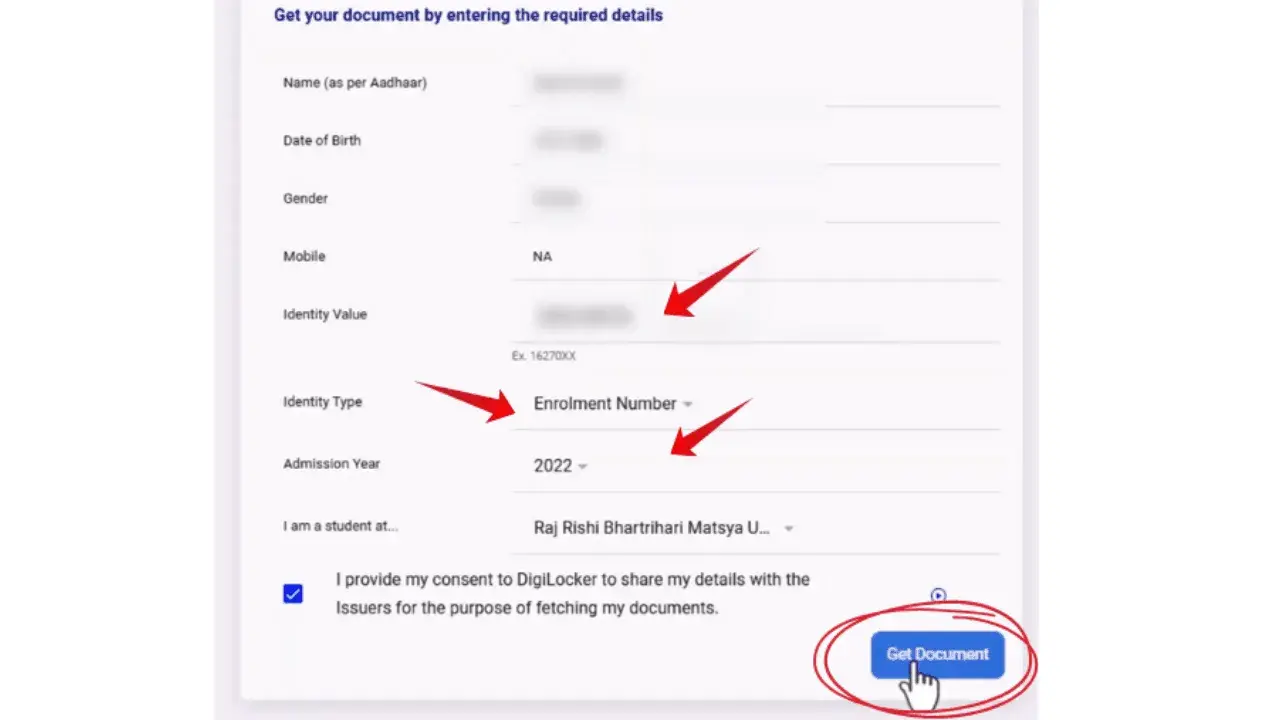
A form will appear on the screen where you have to provide the required details to create your ID i.e.
- Identity type e.g. enrollment number.
- Identity value.
- Year of admission. Select your institute from the list.
- (Provide the consent)
Once you have entered the details, read them carefully, provide the consent and then click on “Get Document“.
On (abc.gov.in) Portal
- (Visit the official ABC portal)
Go to the ABC portal by clicking on “http://www.abc.gov.in/“.
- (Access my account)
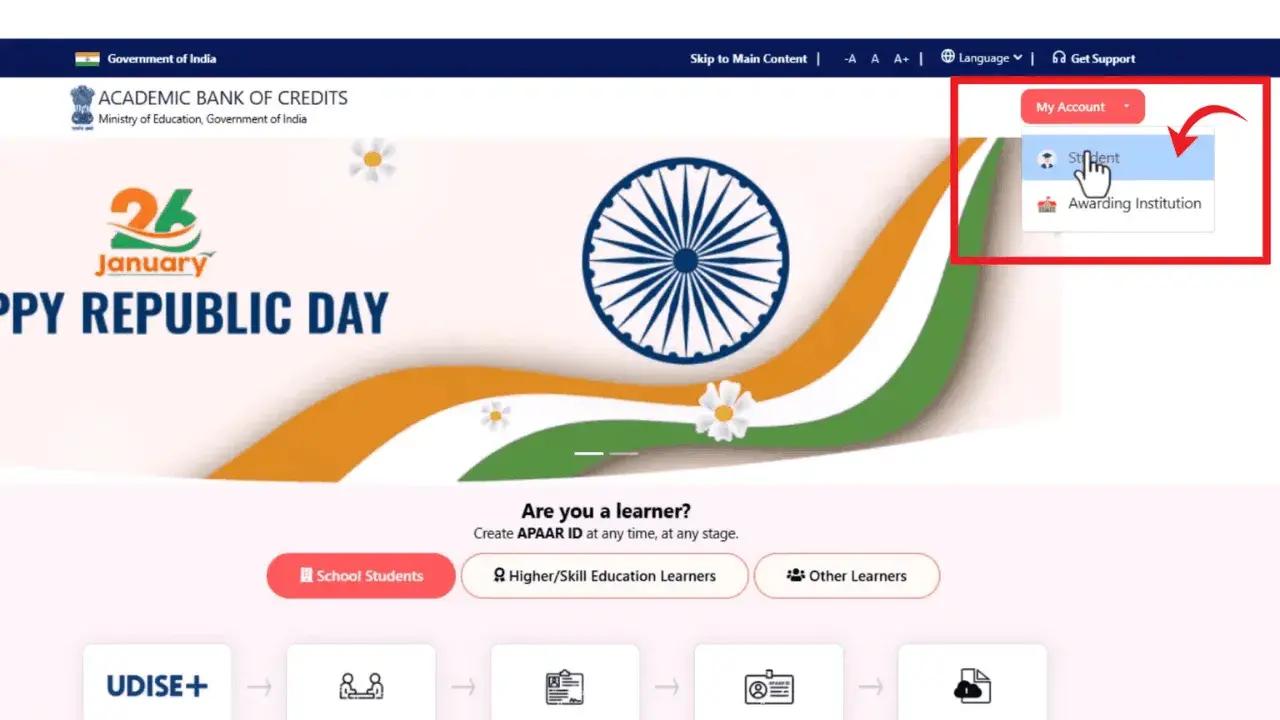
On the ABC portal, in the top right corner look for “My Account” and select the “Student” option.
- (Login ABC portal)
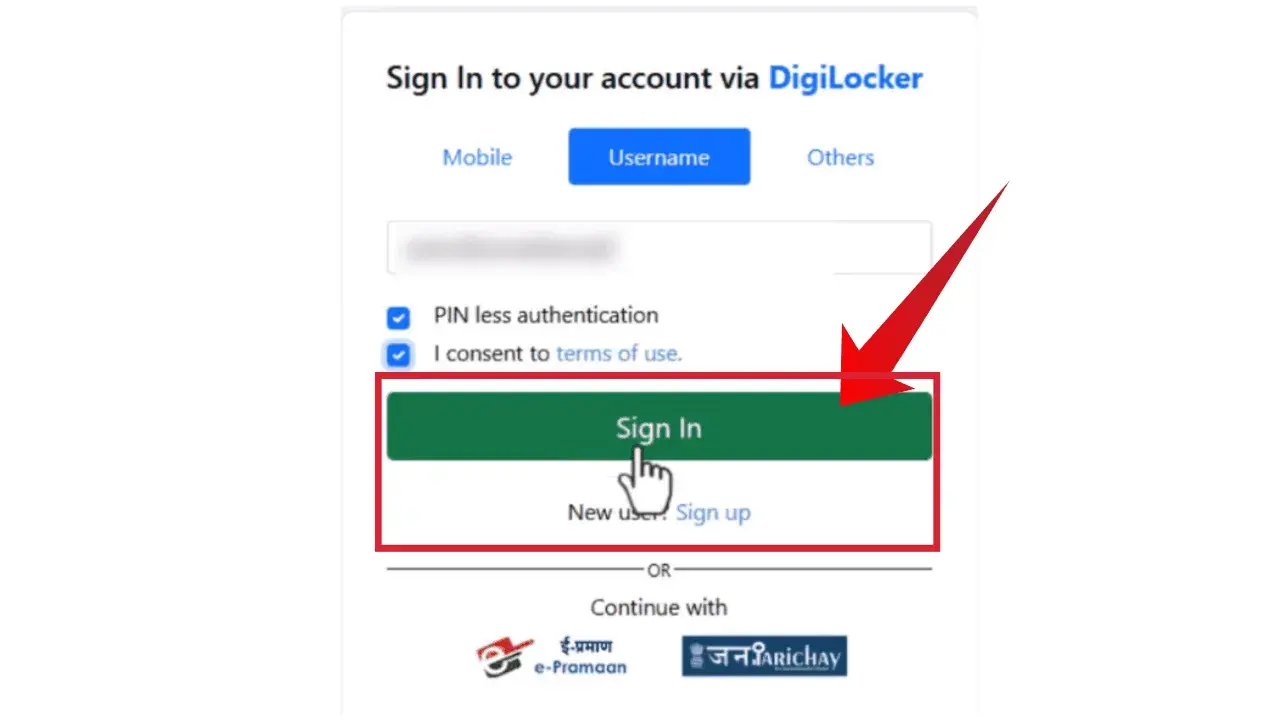
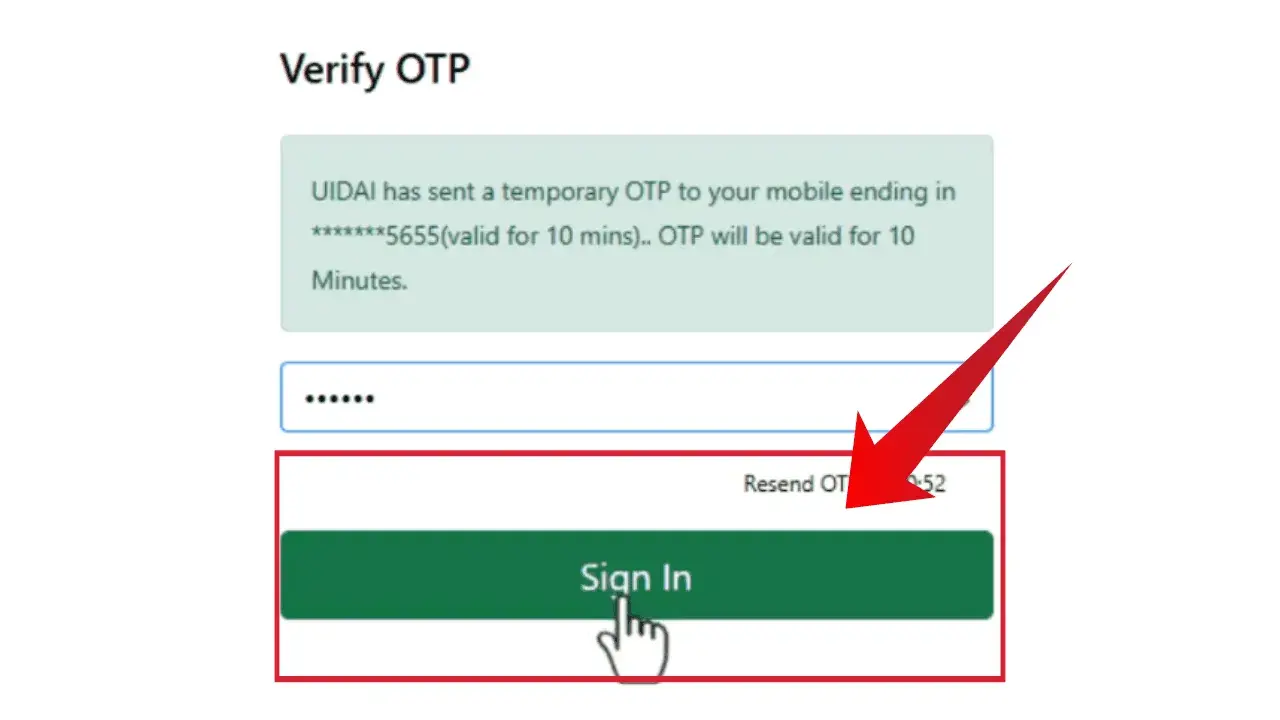
A sign-in page will appear. You can log in to ABC portal through your DigiLocker account using your username, mobile number, or choose the other option. Verify the “OTP” and continue.
- (Review the consent)
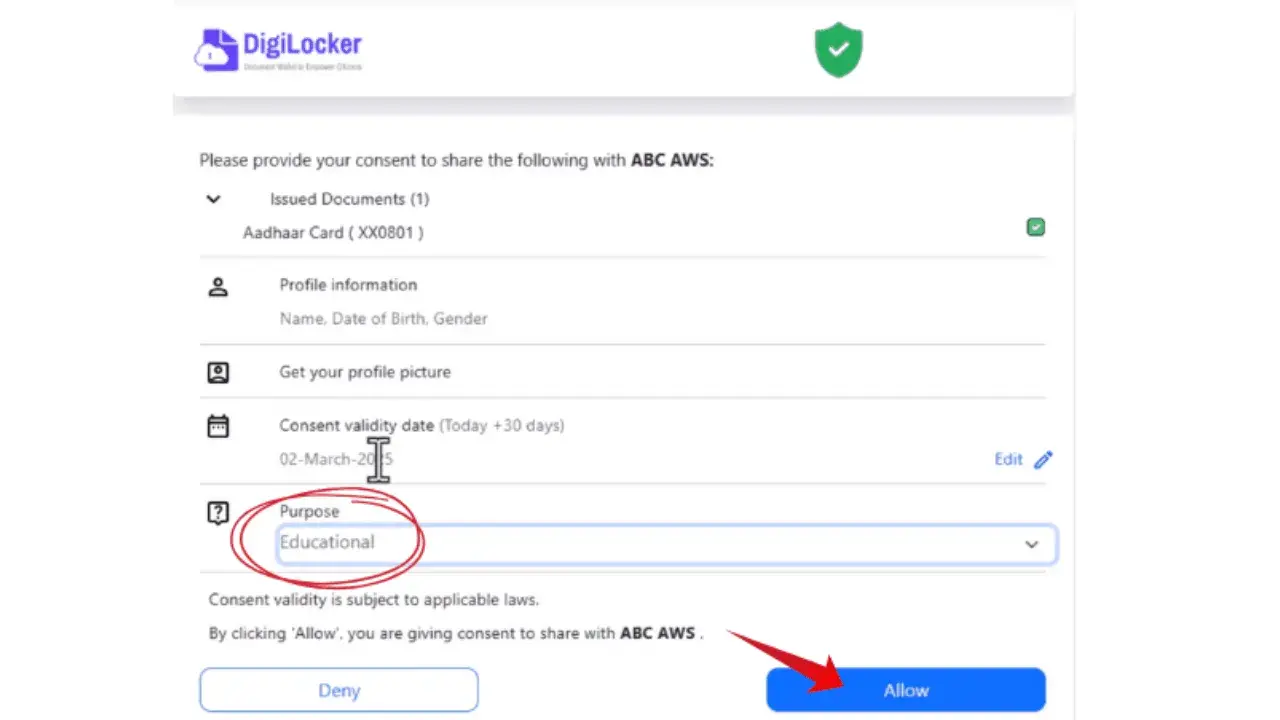
To share the documents required for generating your ID, a consent form will appear. This form displays the details DigiLocker will share with the “academic bank of credits” to generate the ID. In the purpose section, choose “Educational” and click “Allow“.
- (Filling in the details)
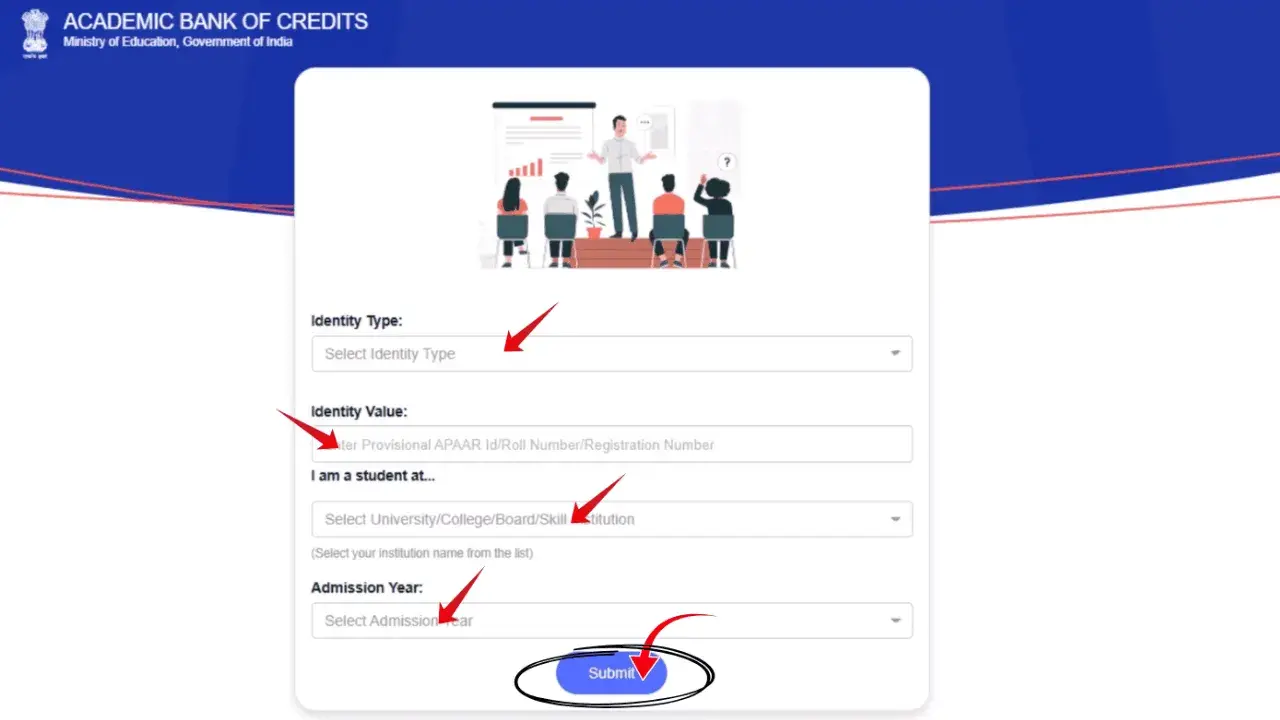
A new page will appear where you must fill in student details. Choose your identity type. If you are a new student, select the “New Admission” option, then choose your university and the “Year of Admission“.
- (ID is created)
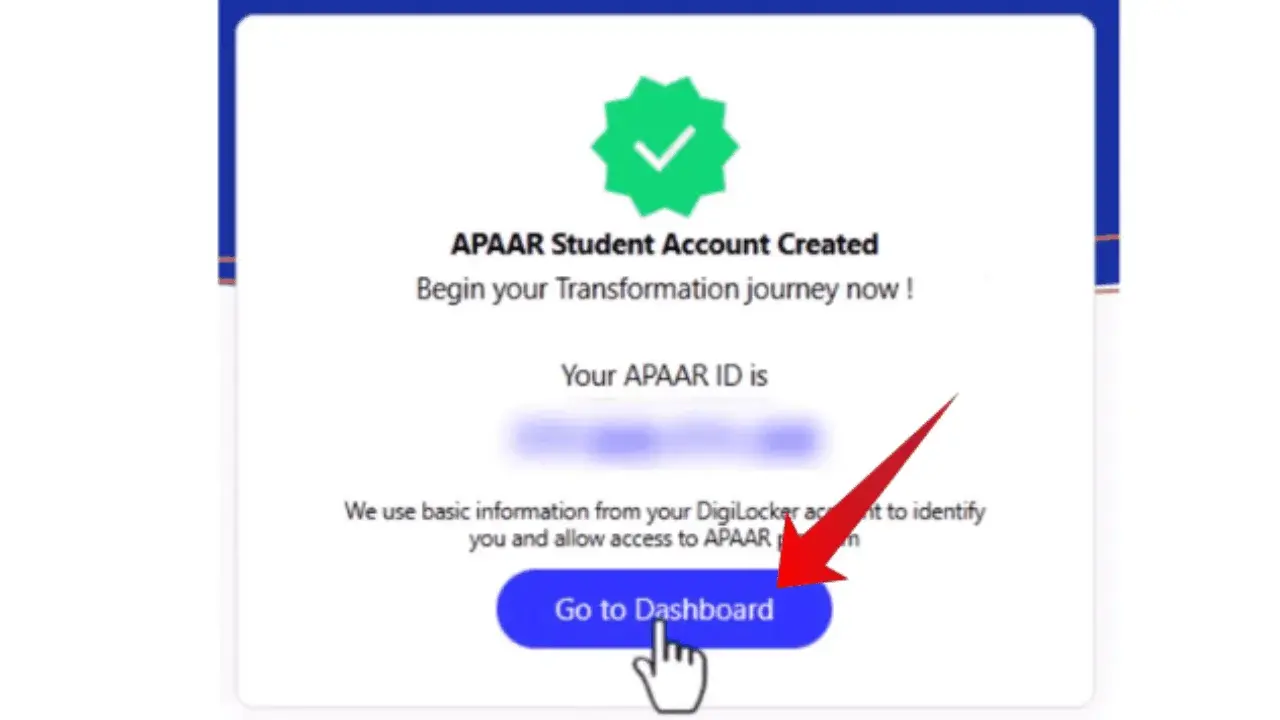
Your ID is now generated via ABC.gov.in. Note it down for future reference.
- Click on “Go to dashboard”. Your ID is now active, and your academic credit points will be displayed there.
Using UMANG Portal
- Visit UMANG portal: Go to official UMANG portal by clicking on “web.umang.gov.in /” or type this URL in your browser, you can also download the “UMANG App” to proceed.
- Login/Signup: If you are already a user then login by using your mobile number, enter the pin and verify the “OTP”. If you are a new user then you need to sign up first.
- Search: In the UMANG portal search for “ABC”.
- Provide necessary details: After clicking on “ABC” you have to provide some details e.g. identity type, identity value, your institute and year of admission.
- After filling in the details, click on “Submit“.
- Your ID is created.
ABC ID Overview
Feature | Description |
|---|---|
Full form | Academic bank of credits identification |
Purpose | To collect and store academic credits digitally |
Initiated by | University grant commission |
Policy | National educational policy (2020) |
Launched | July 2021 by the government of India |
Credits validity | 7 years |
Credits storage and access | Lifetime credits storage and access. |
Eligibility | Students seeking higher education. |
Importance | To monitor the progress of students, and easy credit access and storage. |
Required documents | Aadhaar card |
Linking system | Apaar |
Key Features of ABC ID
Credits accumulation
All credits earned by students will be stored on their ID, and they can be redeemed upon requirement.
Seamless credits transfer
Credits can be easily transferred between institutes without any difficulty.
Safe and secure
Earned credits will be stored securely under DigiLocker framework preventing any potential credit loss.
Flexible learning
Students can take admission in their preferred subject, courses and institutes without restriction.
Apaar ID Integration
Students progress is tracked and monitored. Since it is linked to Apaar, it will help in maintaining the transparency.
Institute Transfer
Students can easily transfer from one institute to another within all states across India.
Benefits of ABC ID
Stats & Achievements
Metric | Value |
|---|---|
Registered students | 30.74 crore |
Registered academic institutes | 2157 |
Unique students | 67.30 |
Academic records mapped | 1.29 crores |
Contact Details
Contact | Details |
|---|---|
Telephone | +91-11-24303-714 |
FAQs